

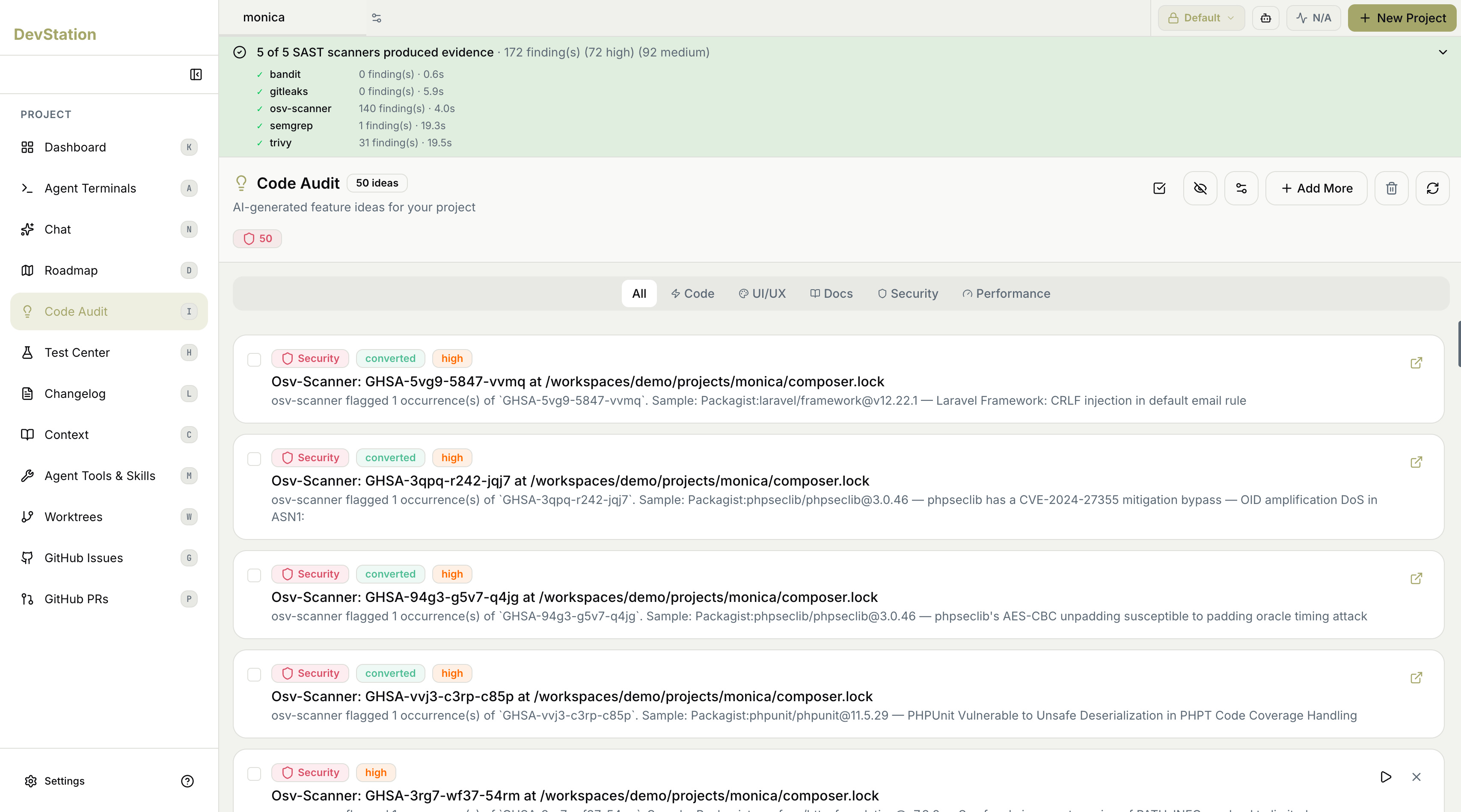
Scanner coverage
A banner at the top summarizes the security scan: how many scanners produced evidence, and the total number of findings broken down by severity (such as high and medium). Expand it to see each scanner individually — with its name, how many findings it produced, and how long it took to run. The scanners are established open-source tools, each strong at a different kind of check:Running several scanners and consolidating their output means a single problem reported by more than one tool is grouped together — you act on it once instead of chasing duplicate alerts.
Ideas and findings
Beyond raw scanner output, Code Audit presents AI-generated improvement ideas for your project, shown as a ranked list with a count of how many ideas exist. Each item is a card showing:- Category — what kind of improvement it is (for example, Security).
- Severity — the priority of the item (for example, high).
- Status — whether you’ve already acted on it; an item turned into a task is marked converted.
- Title and description — what was found and where, with a short explanation. Use the open-external icon on a card to view the underlying detail.
Filtering by category
Code Audit covers more than security. Use the category tabs to focus the list:- All — everything in one list.
- Code — code-quality and implementation improvements.
- UI/UX — user interface and experience suggestions.
- Docs — documentation gaps.
- Security — vulnerabilities and hardening, backed by the scanners above.
- Performance — efficiency and speed improvements.
Working with findings
The toolbar and per-card controls let you manage the list:- Add More — generate additional ideas for the project.
- Select — use the checkboxes to act on items in bulk.
- Hide — dismiss items you don’t want to see.
- Filter and sort — reorder or narrow the list.
- Refresh — re-run to pick up the latest state.
- Delete — remove items from the list.