

Browsing pull requests
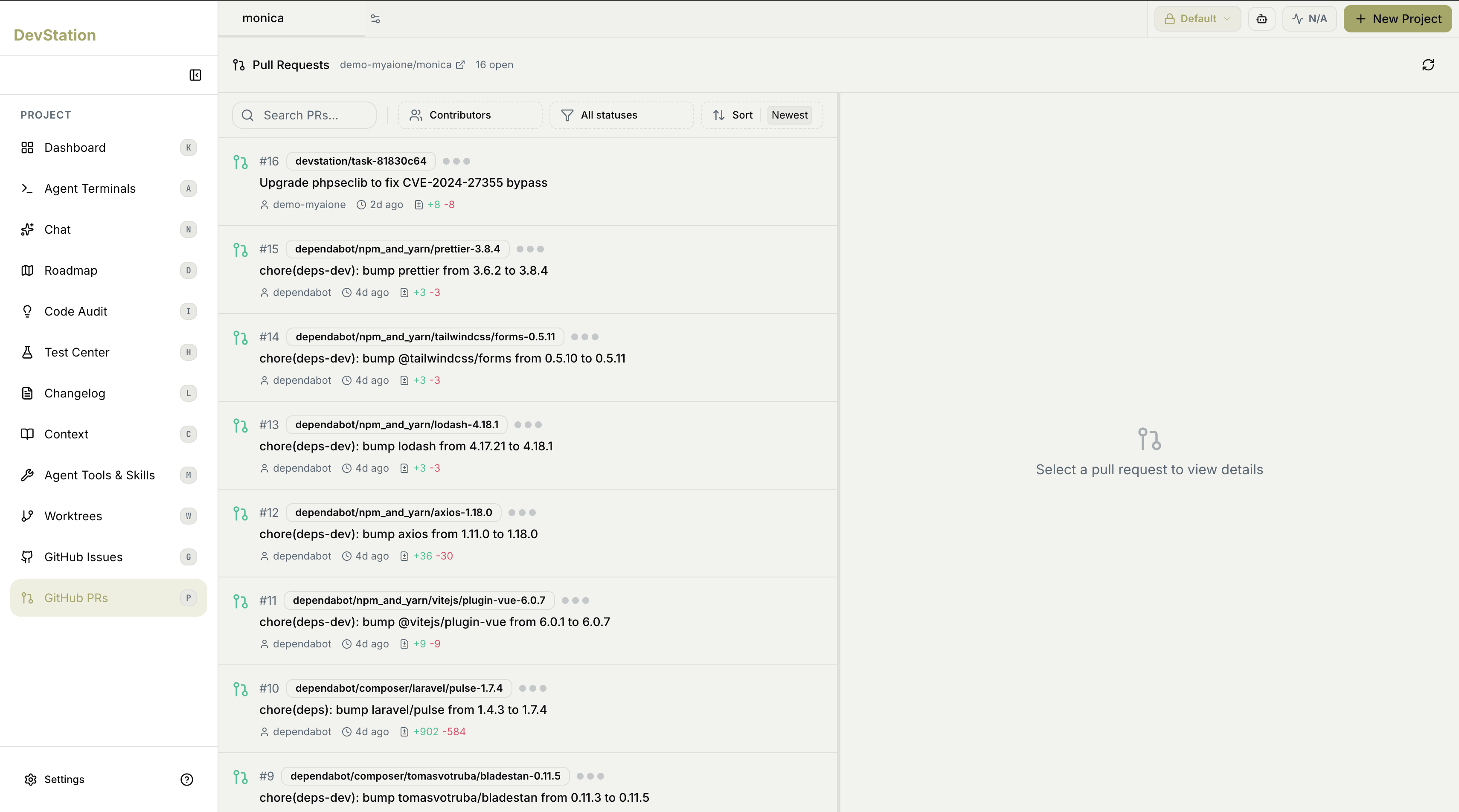
Pull requests sync from your connected repository into a two-pane view: the list on the left, and details on the right when you select one. The detail pane starts on Select a pull request to view details until you pick a PR from the list.Filtering and sorting
A toolbar above the list helps you find the right pull request:- Search PRs — find a PR by text.
- Contributors — filter to a specific author.
- All statuses — narrow by PR status.
- Sort — order the list (for example, Newest first).
What each row shows
Each pull request in the list summarizes itself at a glance:- Number — the PR’s identifier.
- Source branch — the branch the changes come from.
- Status — where the PR stands.
- Title — what the change is.
- Author — who opened it.
- Age — how long ago it was opened.
- Additions and deletions — the lines added (+) and removed (−).
Because agent-created pull requests land here, this page doubles as the review queue for autonomous work — the Autonomous Pipeline opens a PR for each issue it completes, and you review and merge it from here through your normal flow.