

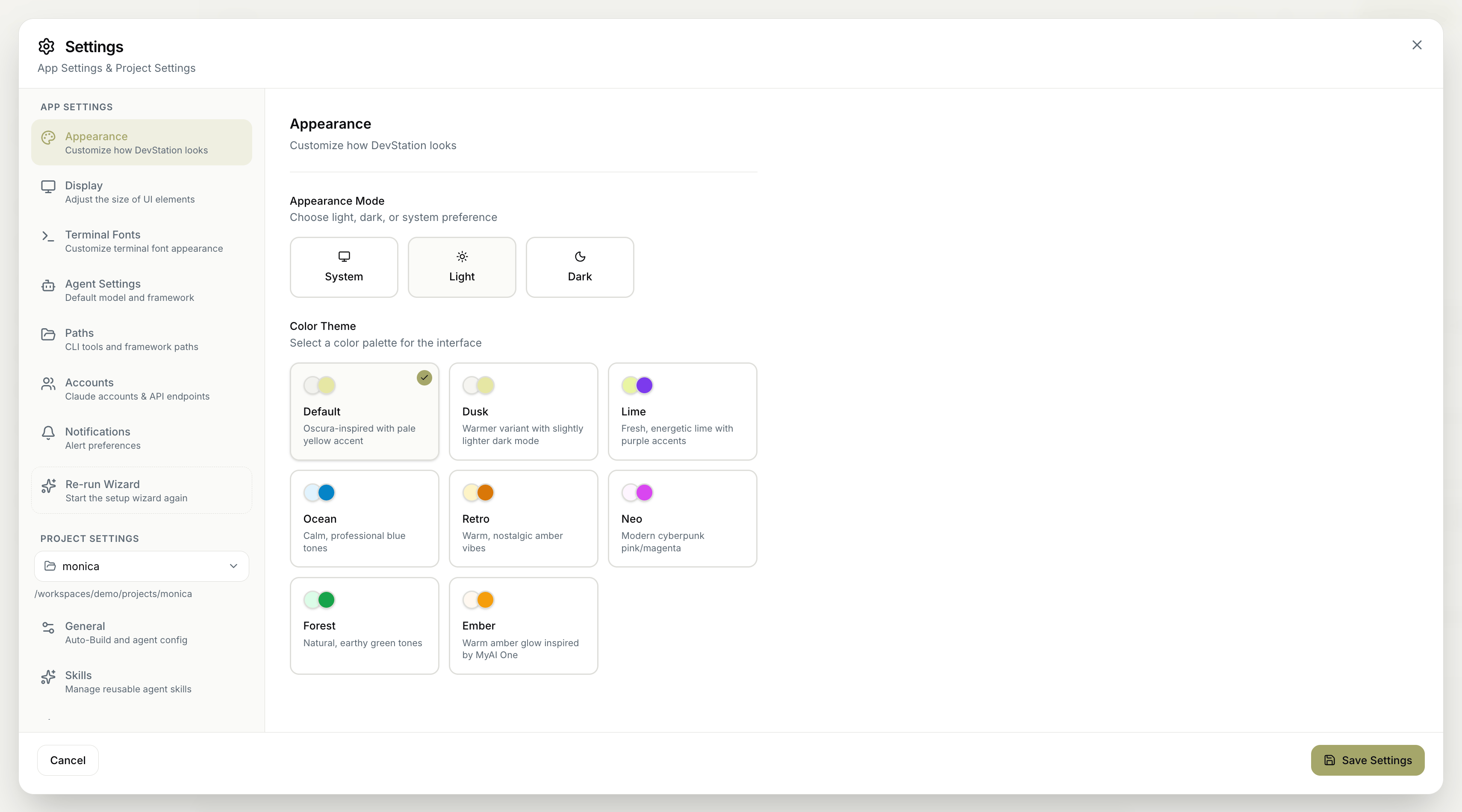
The Appearance settings control how MyaiOne for Development looks. You can set whether the interface follows light or dark mode, and choose from a set of color themes. Changes apply once you save. Screenshot 2026 06 23 At 1 13 31 PM

On this page

Appearance mode

Choose how light and dark mode are decided:
  • System — follow your operating system’s preference automatically.
  • Light — always use the light interface.
  • Dark — always use the dark interface.

Color theme

Select a color palette for the interface. Each theme sets the interface’s accent colors:
ThemeFeel
DefaultOscura-inspired with a pale yellow accent.
DuskA warmer variant with a slightly lighter dark mode.
LimeFresh, energetic lime with purple accents.
OceanCalm, professional blue tones.
RetroWarm, nostalgic amber vibes.
NeoModern cyberpunk pink/magenta.
ForestNatural, earthy green tones.
EmberWarm amber glow inspired by MyaiOne.
The Appearance mode and Color theme work together — pick a mode for light/dark behavior, then a theme for the accent colors layered on top.
Remember to click Save Settings to apply your changes. Cancel discards them.