

Task worktrees
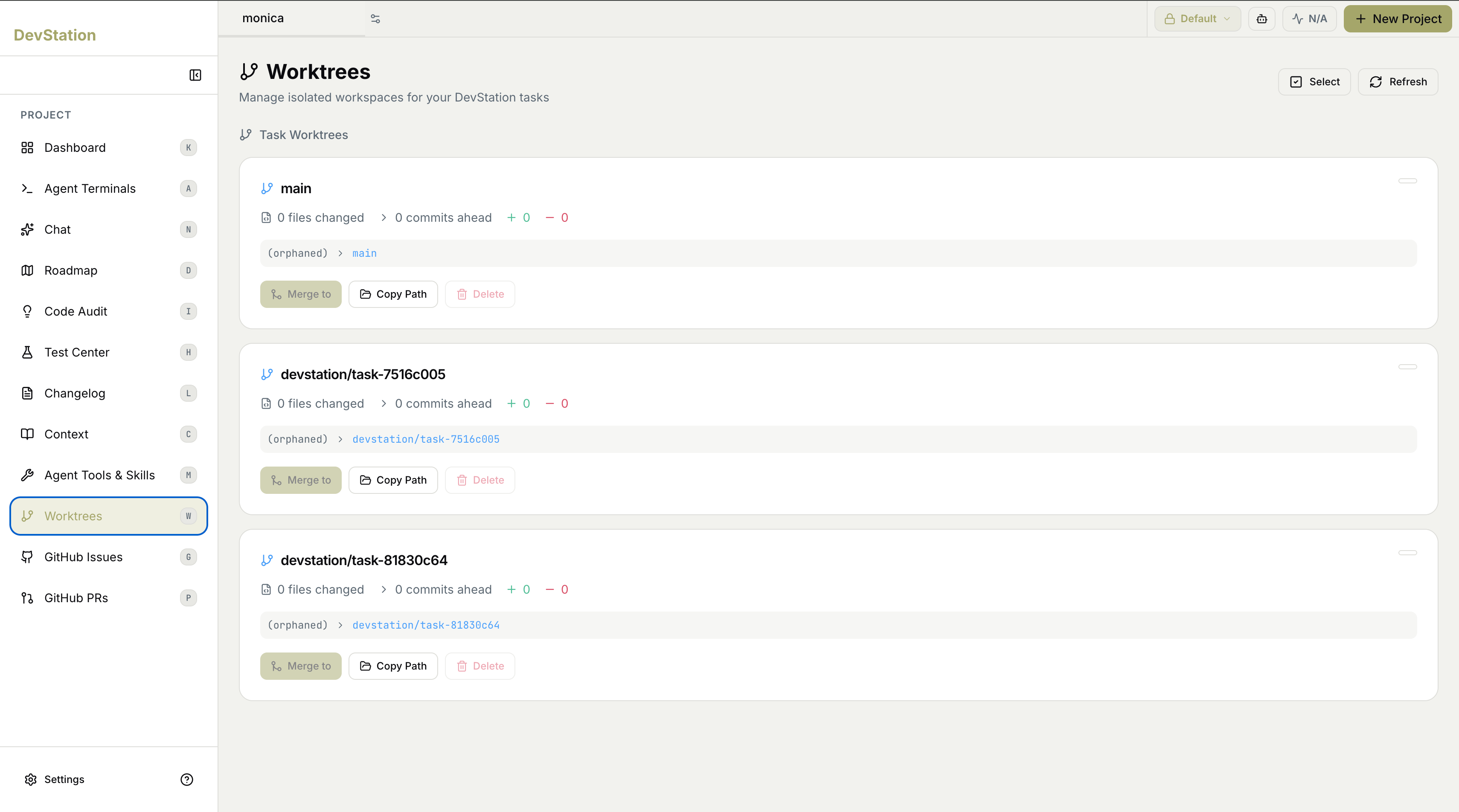
Under Task Worktrees, each active worktree appears as a card — one for your main workspace and one for each task currently isolated in its own branch. Together they give you a complete picture of what’s in flight and how far each piece of work has diverged from main.What each card shows
Every worktree card summarizes the state of that workspace:- Branch — the git branch the worktree is working on.
- Files changed — how many files differ from the base.
- Commits ahead — how many commits this branch is ahead of main.
- Additions and deletions — the lines added (+) and removed (−) in this worktree.
- Status — the worktree’s current state and which branch it maps to.
Because each task lives in its own worktree, the changes shown on a card are scoped to that task alone. Nothing here affects main — or any other task — until you explicitly merge it.
Worktree actions
Each card offers actions to manage that workspace:- Merge to — merge this worktree’s changes into another branch when the work is ready.
- Copy Path — copy the worktree’s filesystem path, handy for opening it in a terminal or editor.
- Delete — remove the worktree once you’re done with it.