

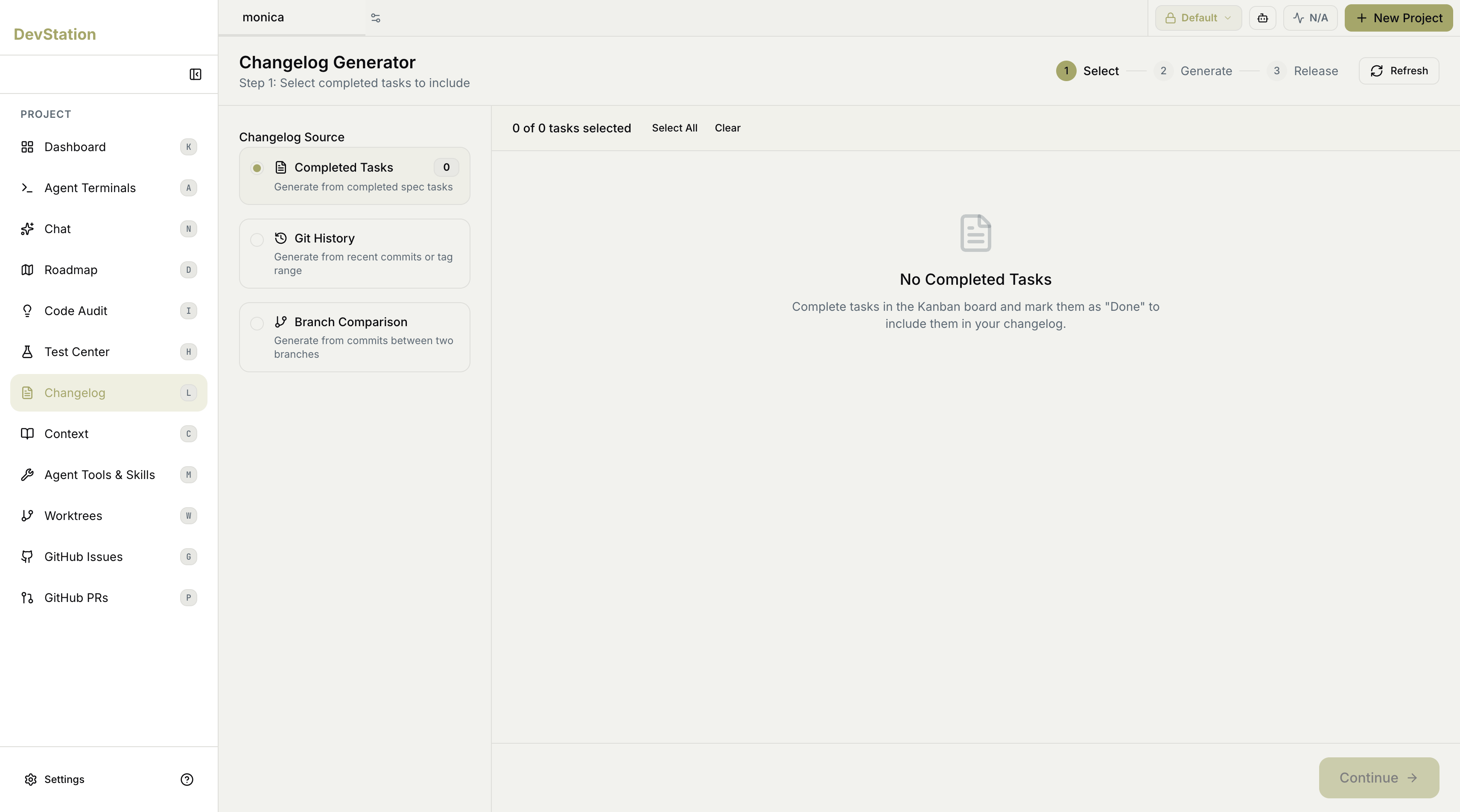
The three steps
A progress indicator at the top tracks where you are:- Select — choose the source and the specific items to include.
- Generate — produce the changelog from your selection.
- Release — finalize and publish it.
Choosing a source
Step 1 asks for a Changelog Source. Pick one of three:- Completed Tasks — generate from completed spec tasks.
- Git History — generate from recent commits or a tag range.
- Branch Comparison — generate from the commits between two branches.
Completed Tasks
This source builds the changelog from tasks you’ve finished. It shows how many completed tasks are available and lets you choose which to include — Select All or Clear to manage the selection in bulk, with a running count of how many are selected.Only tasks marked Done on the kanban board count here. If nothing appears, complete tasks and move them to Done to make them available to the changelog.
Git History
This source builds from your commit history. A Git History Options panel lets you tune what’s pulled in:- History Type — for example, recent commits.
- Number of Commits — how many commits back to include.
- Include merge commits — whether merge commits are counted.
Branch Comparison
This source builds from the difference between two branches:- Base Branch — the branch you’re merging into.
- Compare Branch — the branch with your changes.