

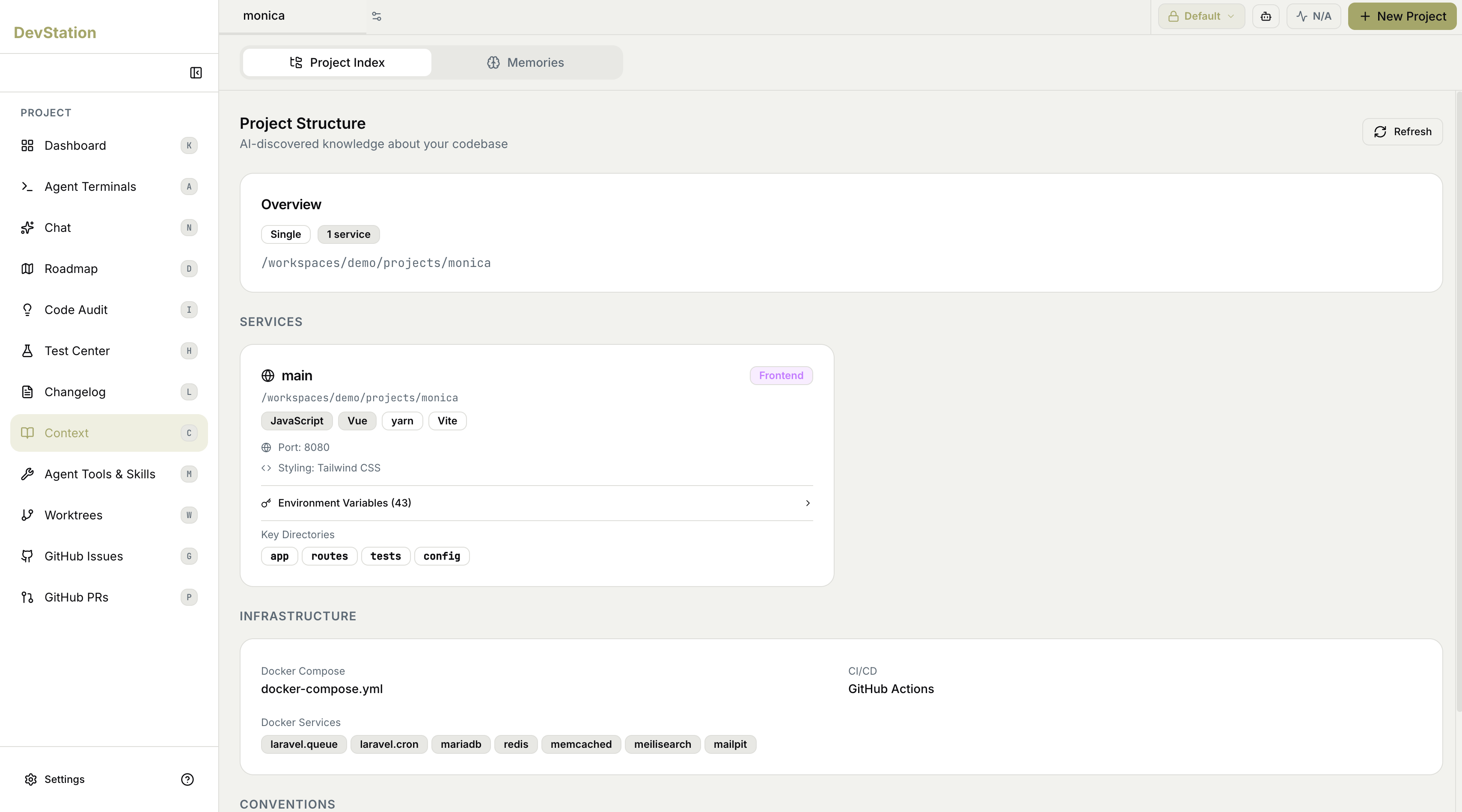
Overview
The Overview summarizes the project at a glance — its architecture type (for example, a single-service or multi-service layout), how many services it contains, and the workspace path where it lives.Services
The Services section lists each service the index discovered. Every service is shown as a card with:- Name and role — the service’s name and what part it plays (for example, a Frontend tag).
- Path — where the service lives in the workspace.
- Tech stack — the languages, frameworks, and tools detected (for example, the language, UI framework, package manager, and build tool).
- Runtime details — such as the port it runs on and its styling approach.
- Environment Variables — an expandable list, with a count of how many were found.
- Key Directories — the important folders within the service.
Infrastructure
The Infrastructure section captures how the project runs and ships:- Docker Compose — the compose file, and the Docker Services it defines (such as databases, caches, queues, and supporting tools).
- CI/CD — the continuous-integration system the project uses.
Conventions
The Conventions section records the project’s established patterns and practices, so work stays consistent with how the codebase is already written.The Project Index is generated by inspecting the codebase, so it reflects what’s actually there rather than what documentation claims. Re-run Refresh after significant structural changes to keep it accurate.