

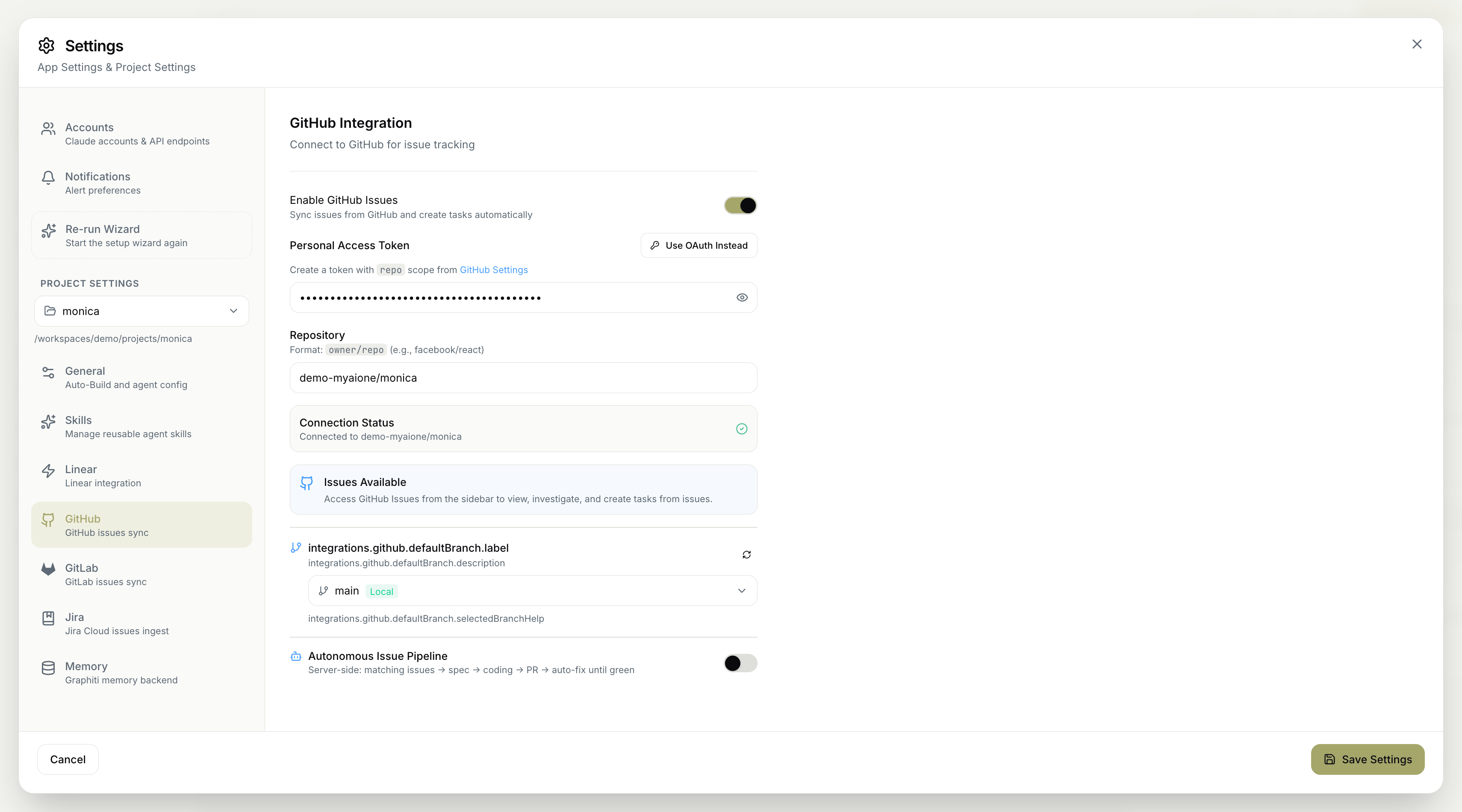
Enabling GitHub Issues
- Enable GitHub Issues — sync issues from GitHub and create tasks automatically.
Authentication
Connect your GitHub account one of two ways:- Personal Access Token — provide a token created with
reposcope from your GitHub settings. - Use OAuth Instead — authenticate via OAuth rather than a token.
If you use a Personal Access Token, create it with the
repo scope so MyaiOne for Development can read issues and open pull requests on your repository.Repository
Set the repository to connect, inowner/repo format (for example, facebook/react).
Default branch
Choose the project’s default branch — the branch MyaiOne for Development targets for this repository.Connection status
A Connection Status indicator confirms the integration is working, showing Connected along with the repository it’s linked to. Once connected, Issues Available indicates you can access GitHub Issues from the sidebar to view, investigate, and create tasks from issues.Autonomous Issue Pipeline
The Autonomous Issue Pipeline runs issue processing hands-off and entirely server-side, taking each issue through a complete path: matching issues → spec → coding → PR → auto-fix until green It finds the issues to work on, writes a spec, implements the change, opens a pull request, and keeps fixing until checks pass — leaving you to review and merge.Remember to save your changes for them to take effect.