> ## Documentation Index
> Fetch the complete documentation index at: https://docs.myaione.com/llms.txt
> Use this file to discover all available pages before exploring further.
# Test Center
> Verify your project before it ships — preview builds, tests, coverage, logs, and broken-build diagnostics in one place. Run the suite on demand and watch results land across Coverage, Tests, and Live Preview.
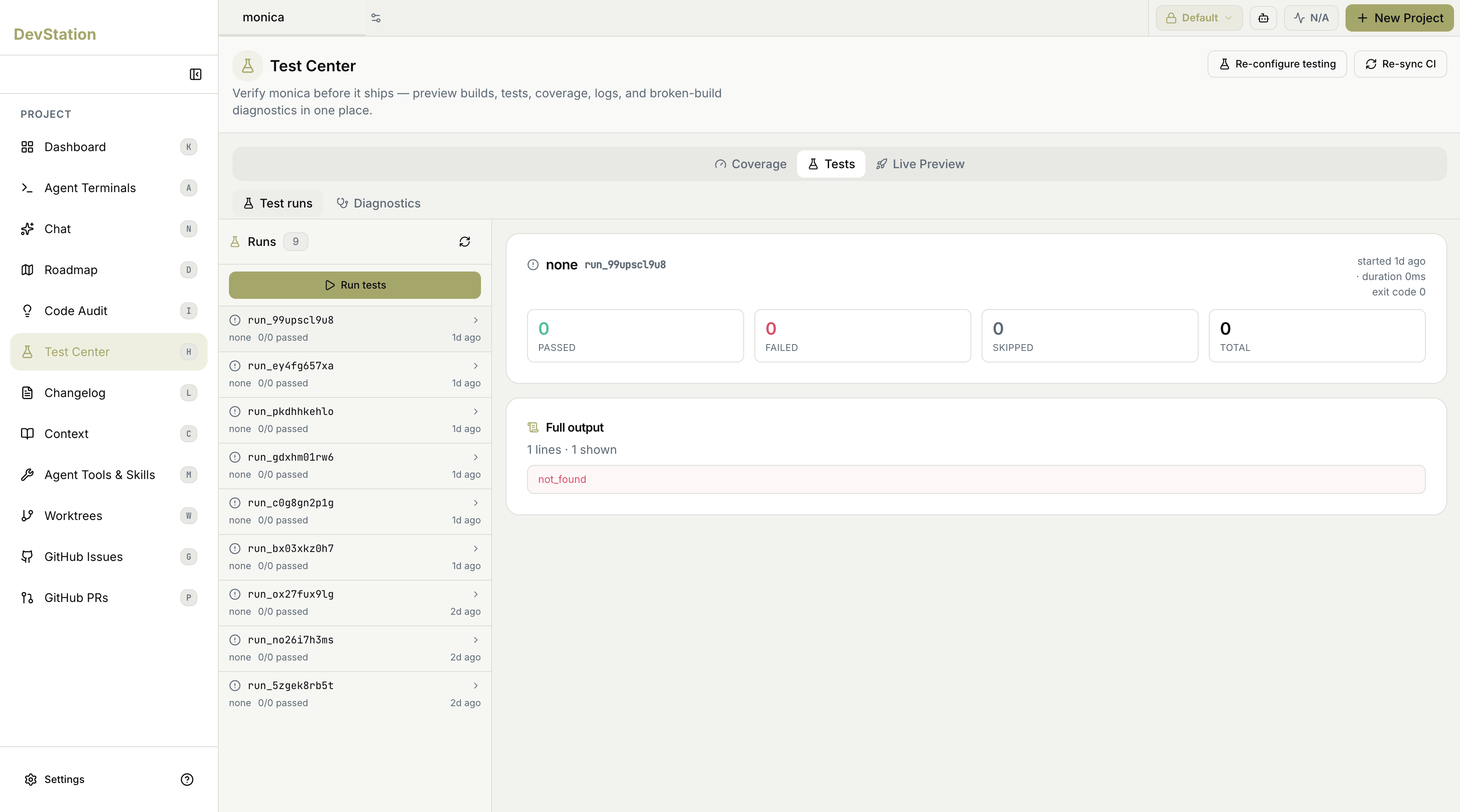
**Test Center** is where you verify your project before it ships. It brings preview builds, tests, coverage, logs, and broken-build diagnostics together in one place, so you can run the suite on demand and see exactly what passed, what failed, how much of the code is covered, and how the build looks running.
 ## Running the suite
Click **Run tests** to execute the suite with coverage. The run shows live progress in the **Tests** tab, and when it finishes, results populate across the views. If you want more tests before running, use **Generate more** to have an agent write additional tests first.
## The three views
Test Center is organized into three tabs, each its own page:
How much of your code the suite exercises, collected from the latest run.
Run history and results — what passed, failed, or was skipped — plus diagnostics for broken builds.
Preview builds of your project and your branches, so you can see them running before they ship.
## Configuring testing and CI
Two actions in the header manage how testing is set up:
* **Re-configure testing** — revisit the testing setup for the project (framework, test types, and layout). On a project that hasn't been set up yet, this is where you configure testing for the first time.
* **Re-sync CI** — regenerate the project's GitHub Actions workflows from the latest DevStation templates and open a pull request with the changes.
Setting up testing from scratch — detecting components, choosing a framework, and generating the first tests — is walked through end to end in [Stand up testing from zero](/stand-up-testing-from-zero).
## Running the suite
Click **Run tests** to execute the suite with coverage. The run shows live progress in the **Tests** tab, and when it finishes, results populate across the views. If you want more tests before running, use **Generate more** to have an agent write additional tests first.
## The three views
Test Center is organized into three tabs, each its own page:
How much of your code the suite exercises, collected from the latest run.
Run history and results — what passed, failed, or was skipped — plus diagnostics for broken builds.
Preview builds of your project and your branches, so you can see them running before they ship.
## Configuring testing and CI
Two actions in the header manage how testing is set up:
* **Re-configure testing** — revisit the testing setup for the project (framework, test types, and layout). On a project that hasn't been set up yet, this is where you configure testing for the first time.
* **Re-sync CI** — regenerate the project's GitHub Actions workflows from the latest DevStation templates and open a pull request with the changes.
Setting up testing from scratch — detecting components, choosing a framework, and generating the first tests — is walked through end to end in [Stand up testing from zero](/stand-up-testing-from-zero).