> ## Documentation Index
> Fetch the complete documentation index at: https://docs.myaione.com/llms.txt
> Use this file to discover all available pages before exploring further.
# Patch a security vulnerability end-to-end
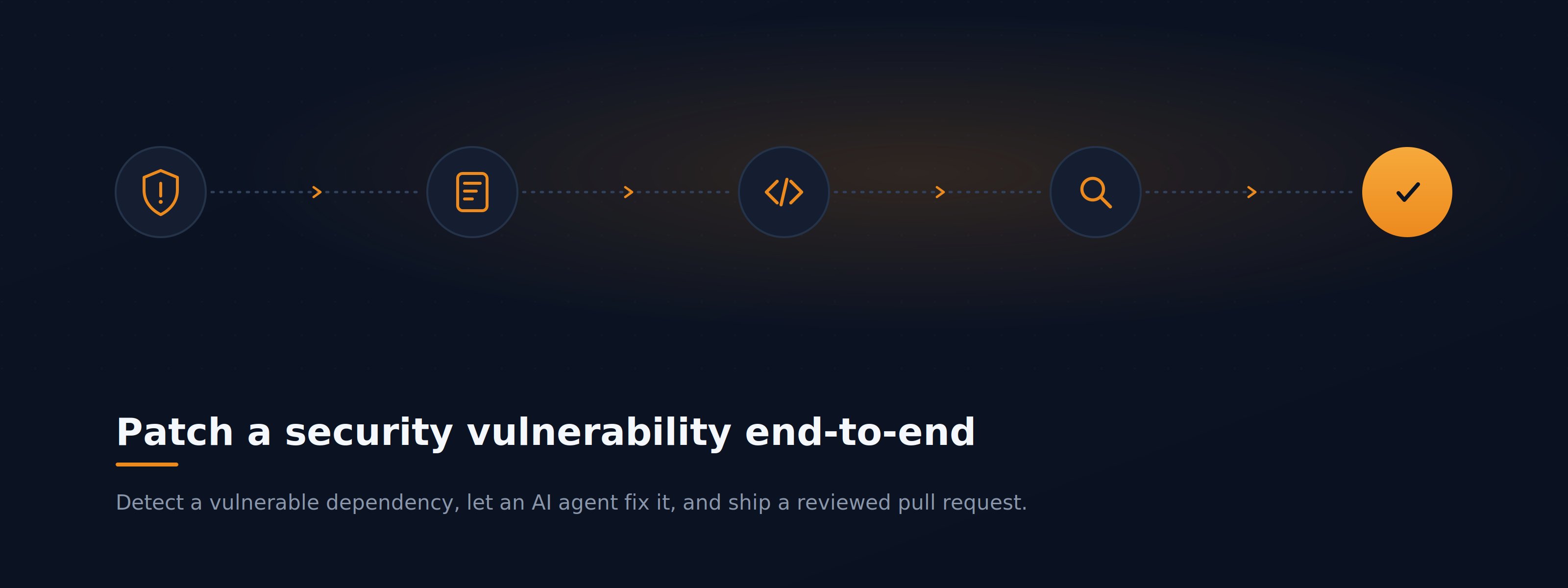
> Take a vulnerability that a scanner flagged in your dependencies and resolve it completely — from detection, through an AI-built fix in an isolated workspace, to a reviewed pull request — without leaving MyaiOne for Development.
 ## The scenario
Your project's security scan has surfaced a high-severity CVE in one of your third-party dependencies. You want it patched, reviewed, and merged — with a clear audit trail of what changed and why. This walkthrough follows that vulnerability from the moment a scanner reports it to the moment a reviewed pull request is ready to merge.
***
## Step 1: Find the vulnerability in Code Audit
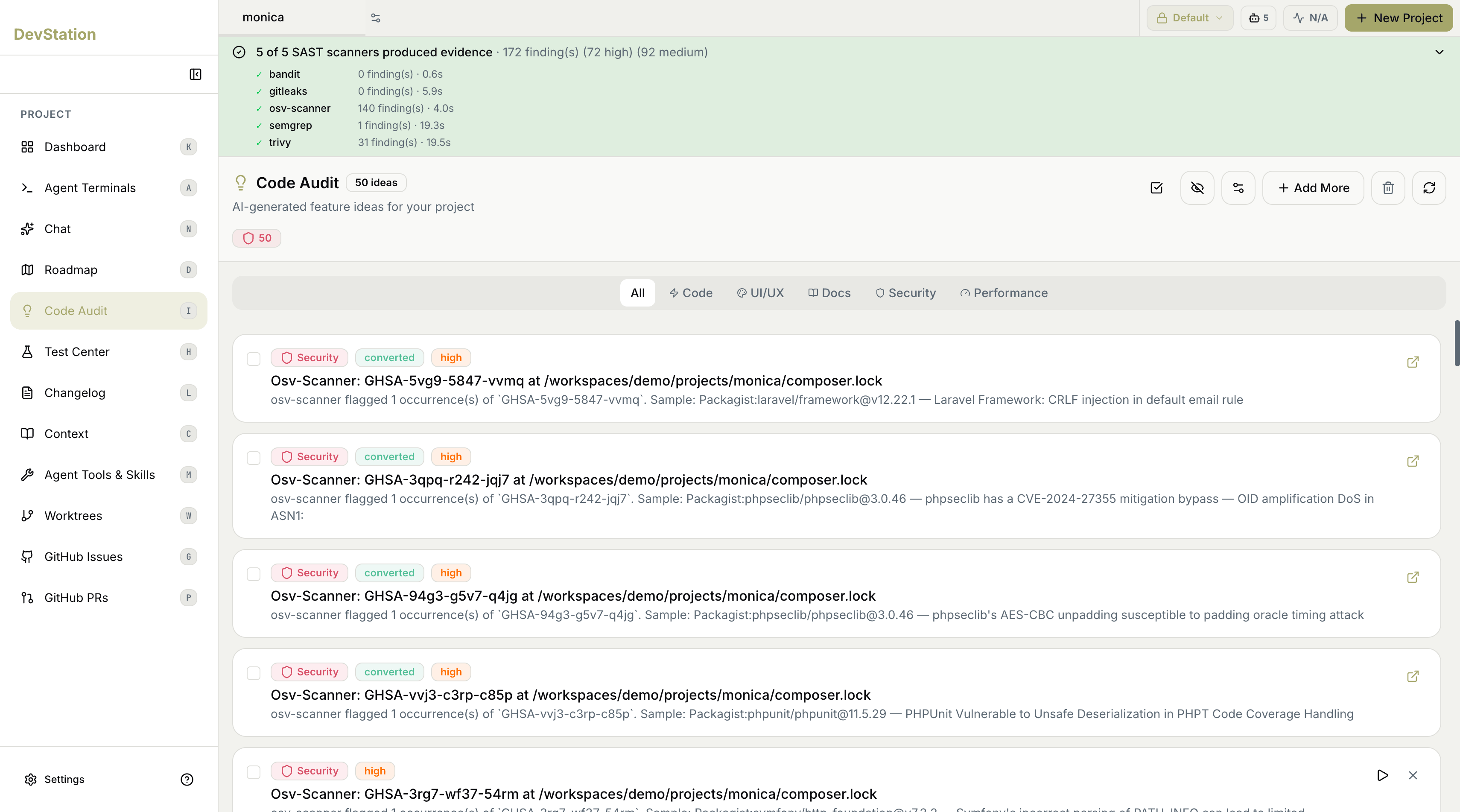
Open **Code Audit** from the project sidebar. MyaiOne for Development runs multiple open-source SAST and dependency scanners against your repository and consolidates their results into a single ranked list. A coverage summary at the top of the page shows which scanners ran and how many findings each produced, so you can see the evidence behind the list at a glance.
Code Audit uses these popular security scanners to identify issues, each contributing what it does best:
* [**osv-scanner**](https://github.com/google/osv-scanner) — Google's dependency (SCA) scanner. Checks your lockfiles and manifests against the OSV vulnerability database to catch known CVEs in the third-party packages you depend on. Best for finding vulnerable dependencies.
* [**trivy**](https://github.com/aquasecurity/trivy) — Aqua Security's all-in-one scanner for dependencies, container images, IaC misconfigurations, and secrets. Best for broad coverage across packages, containers, and configuration.
* [**semgrep**](https://github.com/semgrep/semgrep) — fast, multi-language static analysis of your own source code. Catches insecure patterns (injection, XSS, unsafe APIs) and supports custom rules. Best for first-party code vulnerabilities across 30+ languages.
* [**gitleaks**](https://github.com/gitleaks/gitleaks) — secrets scanner. Parses your git history and working tree for hardcoded credentials, API keys, and tokens. Best for catching leaked secrets before they ship.
* [**bandit**](https://github.com/PyCQA/bandit) — a lightweight, Python-native security linter. Flags common security issues in Python code. Best for deep, Python-specific checks.
Use the category filters (**All / Code / UI/UX / Docs / Security / Performance**) to narrow the list to **Security**, then select the dependency vulnerability you want to resolve. Each finding shows its source scanner, a severity badge, the affected package, and the file where it was detected.
**Duplicate findings are grouped.** The same vulnerability is often reported by more than one scanner. MyaiOne for Development groups these so you act on the problem once rather than chasing duplicate alerts.
## The scenario
Your project's security scan has surfaced a high-severity CVE in one of your third-party dependencies. You want it patched, reviewed, and merged — with a clear audit trail of what changed and why. This walkthrough follows that vulnerability from the moment a scanner reports it to the moment a reviewed pull request is ready to merge.
***
## Step 1: Find the vulnerability in Code Audit
Open **Code Audit** from the project sidebar. MyaiOne for Development runs multiple open-source SAST and dependency scanners against your repository and consolidates their results into a single ranked list. A coverage summary at the top of the page shows which scanners ran and how many findings each produced, so you can see the evidence behind the list at a glance.
Code Audit uses these popular security scanners to identify issues, each contributing what it does best:
* [**osv-scanner**](https://github.com/google/osv-scanner) — Google's dependency (SCA) scanner. Checks your lockfiles and manifests against the OSV vulnerability database to catch known CVEs in the third-party packages you depend on. Best for finding vulnerable dependencies.
* [**trivy**](https://github.com/aquasecurity/trivy) — Aqua Security's all-in-one scanner for dependencies, container images, IaC misconfigurations, and secrets. Best for broad coverage across packages, containers, and configuration.
* [**semgrep**](https://github.com/semgrep/semgrep) — fast, multi-language static analysis of your own source code. Catches insecure patterns (injection, XSS, unsafe APIs) and supports custom rules. Best for first-party code vulnerabilities across 30+ languages.
* [**gitleaks**](https://github.com/gitleaks/gitleaks) — secrets scanner. Parses your git history and working tree for hardcoded credentials, API keys, and tokens. Best for catching leaked secrets before they ship.
* [**bandit**](https://github.com/PyCQA/bandit) — a lightweight, Python-native security linter. Flags common security issues in Python code. Best for deep, Python-specific checks.
Use the category filters (**All / Code / UI/UX / Docs / Security / Performance**) to narrow the list to **Security**, then select the dependency vulnerability you want to resolve. Each finding shows its source scanner, a severity badge, the affected package, and the file where it was detected.
**Duplicate findings are grouped.** The same vulnerability is often reported by more than one scanner. MyaiOne for Development groups these so you act on the problem once rather than chasing duplicate alerts.
 ***
## Step 2: Convert the finding into a task
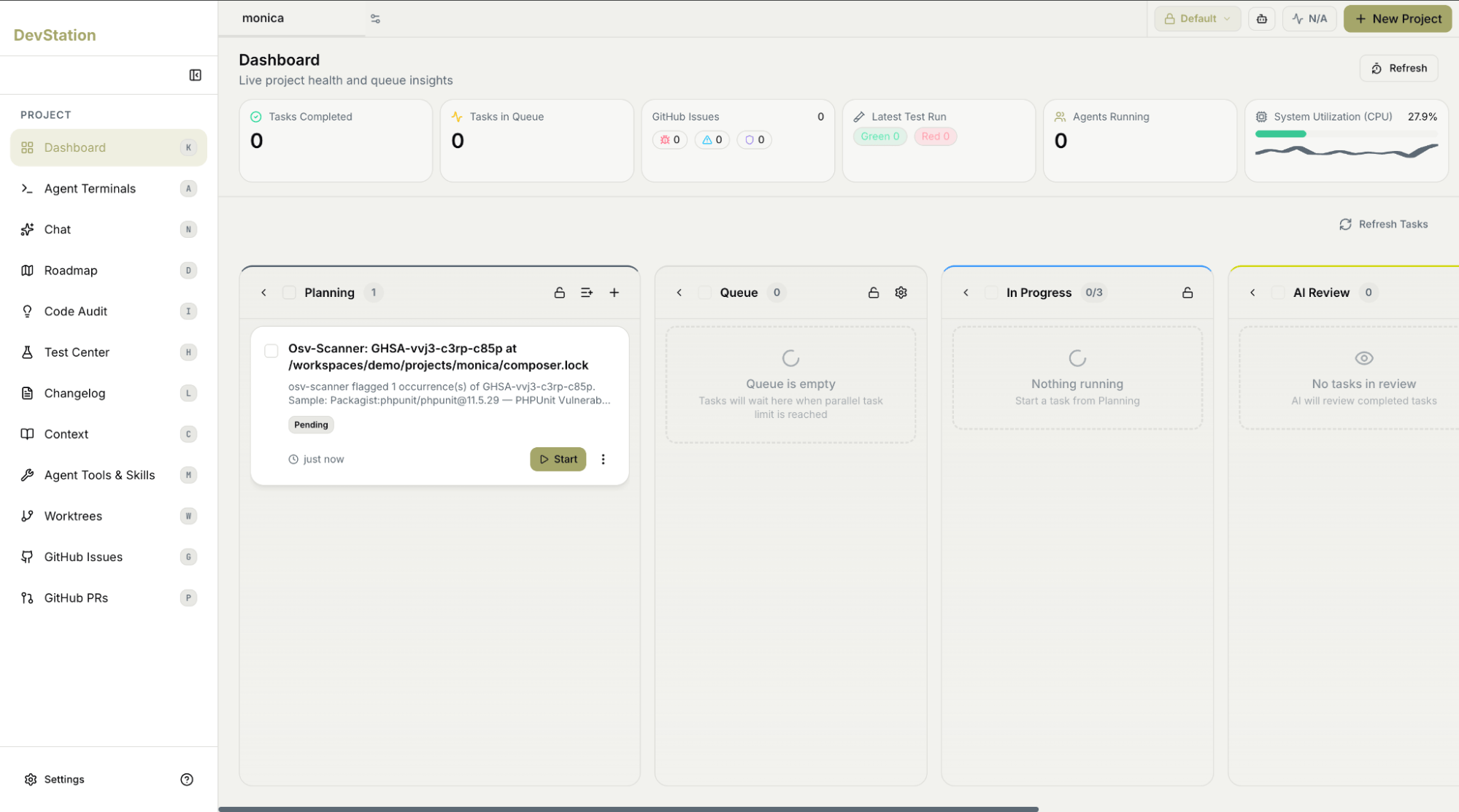
With the finding selected, choose **Convert** to turn it into a tracked task on your kanban board. MyaiOne for Development generates a task with a descriptive title and a unique ID, and the finding's status changes to *converted* so you can see at a glance which audit results are already being acted on.
The new task appears in the **Planning** column on your **Dashboard**.
***
## Step 2: Convert the finding into a task
With the finding selected, choose **Convert** to turn it into a tracked task on your kanban board. MyaiOne for Development generates a task with a descriptive title and a unique ID, and the finding's status changes to *converted* so you can see at a glance which audit results are already being acted on.
The new task appears in the **Planning** column on your **Dashboard**.
 ***
## Step 3: Open the task and start the agent
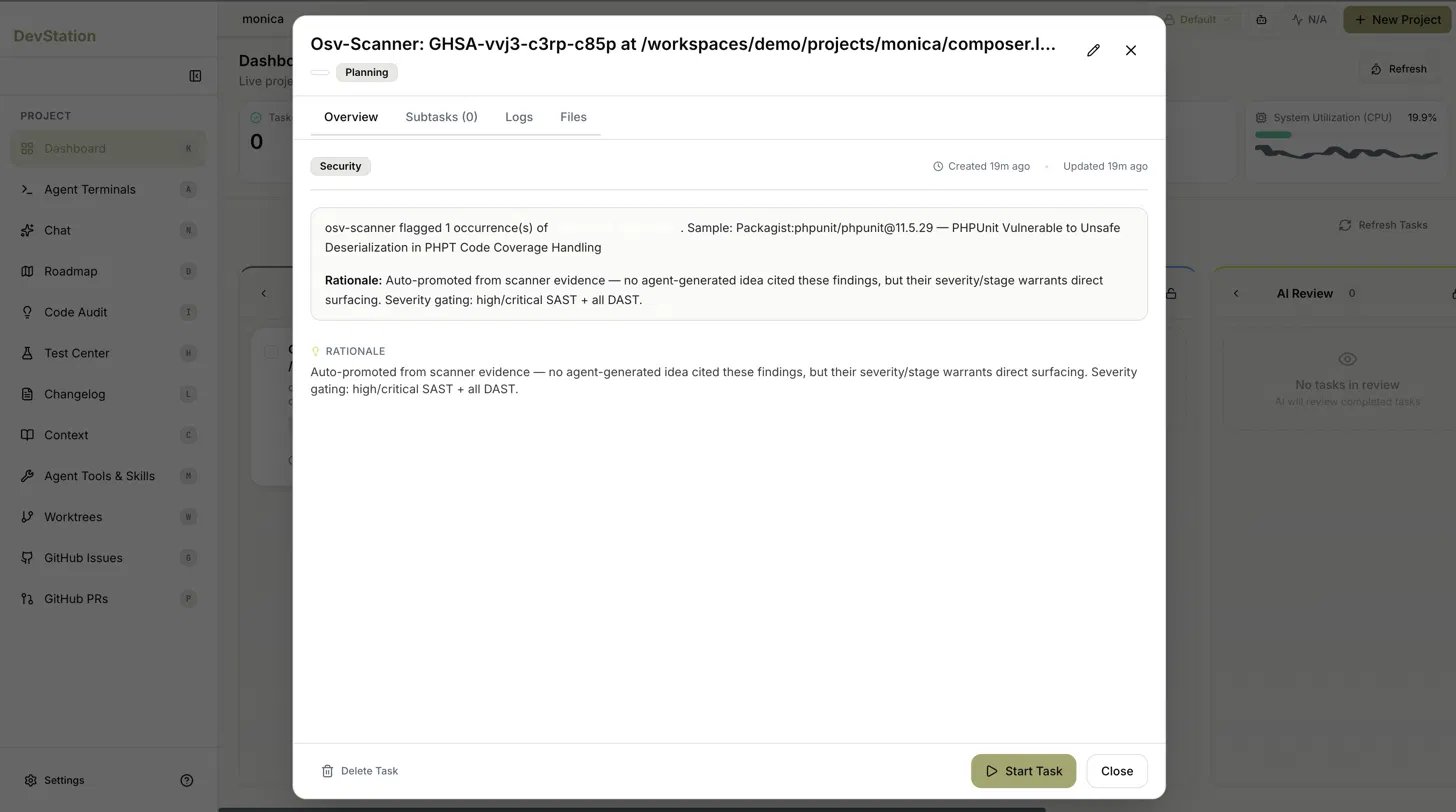
On the Dashboard, click the task card to open its detail view. The task modal has four tabs — **Overview**, **Subtasks**, **Logs**, and **Files** — and opens on Overview.
Here you'll see the finding's details and an AI-written **Rationale** explaining why it was surfaced as a task (for example, that it was auto-promoted from scanner evidence because its severity warranted direct action). When you're ready, choose **Start Task**.
MyaiOne for Development hands the work to its build agents, which plan the change and apply it inside an **isolated worktree** dedicated to this task — so nothing touches your main branch until you're ready.
***
## Step 3: Open the task and start the agent
On the Dashboard, click the task card to open its detail view. The task modal has four tabs — **Overview**, **Subtasks**, **Logs**, and **Files** — and opens on Overview.
Here you'll see the finding's details and an AI-written **Rationale** explaining why it was surfaced as a task (for example, that it was auto-promoted from scanner evidence because its severity warranted direct action). When you're ready, choose **Start Task**.
MyaiOne for Development hands the work to its build agents, which plan the change and apply it inside an **isolated worktree** dedicated to this task — so nothing touches your main branch until you're ready.
 ***
## Step 4: Track progress as the work completes
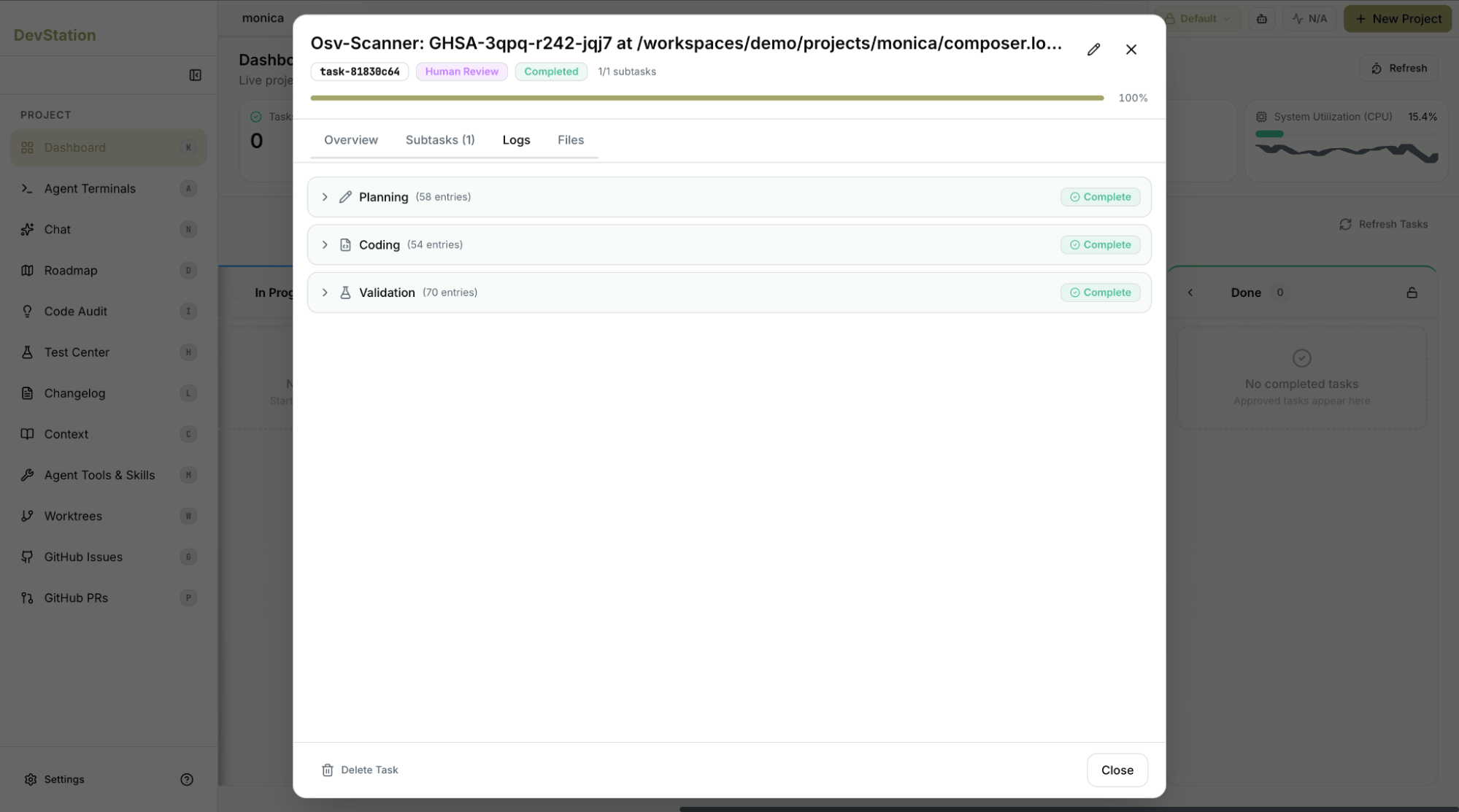
Once the task is running, switch to the **Logs** tab inside the modal to watch the agent work in real time as it plans and applies the fix.
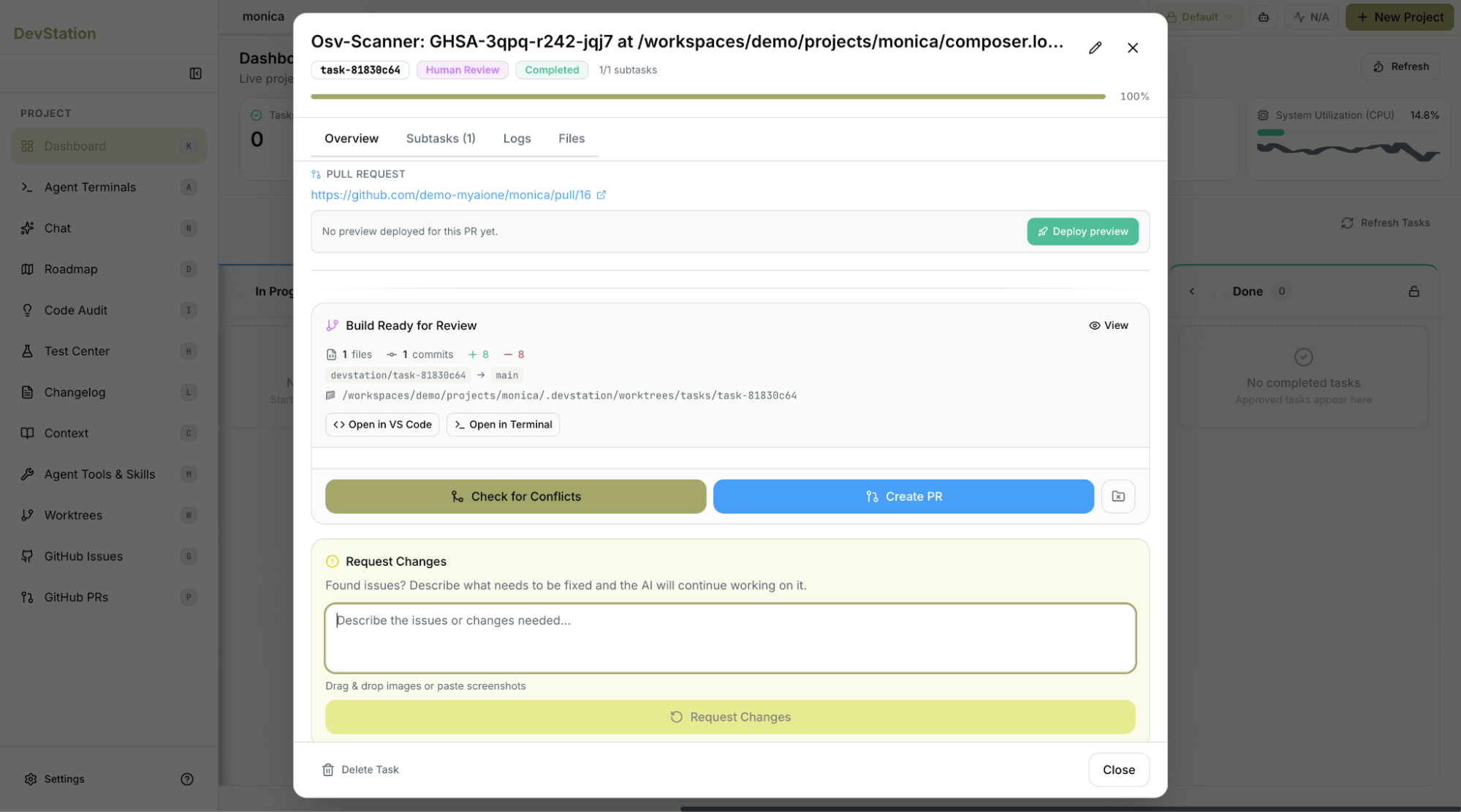
When the work finishes, the task's progress bar fills to 100%, its badge changes to **Completed**, and the card moves automatically into the **Human Review** column. The Overview tab now shows a **Build Ready for Review** panel summarizing the change — the files touched, the commit, and the additions and removals — along with the worktree path and quick links to open the branch in your editor or terminal.
***
## Step 4: Track progress as the work completes
Once the task is running, switch to the **Logs** tab inside the modal to watch the agent work in real time as it plans and applies the fix.
When the work finishes, the task's progress bar fills to 100%, its badge changes to **Completed**, and the card moves automatically into the **Human Review** column. The Overview tab now shows a **Build Ready for Review** panel summarizing the change — the files touched, the commit, and the additions and removals — along with the worktree path and quick links to open the branch in your editor or terminal.
 ***
## Step 5: Review and ship from Human Review
With the task in **Human Review**, the modal gives you everything needed to validate and ship the fix:
* **Deploy preview** — spin up a live preview of the branch to confirm the change behaves as expected.
* **Check for Conflicts** — verify the branch still merges cleanly against main before opening a pull request.
* **Create PR** — open the pull request (a link to it appears in the modal once created), then approve and merge it through your normal GitHub flow.
* **Request Changes** — if something isn't right, describe what needs fixing and the agent continues working on the task for another pass.
Once the pull request is merged, mark the task **Done** on the kanban board. The completed task is then available to include in your next release notes via the **Changelog** generator.
***
## Step 5: Review and ship from Human Review
With the task in **Human Review**, the modal gives you everything needed to validate and ship the fix:
* **Deploy preview** — spin up a live preview of the branch to confirm the change behaves as expected.
* **Check for Conflicts** — verify the branch still merges cleanly against main before opening a pull request.
* **Create PR** — open the pull request (a link to it appears in the modal once created), then approve and merge it through your normal GitHub flow.
* **Request Changes** — if something isn't right, describe what needs fixing and the agent continues working on the task for another pass.
Once the pull request is merged, mark the task **Done** on the kanban board. The completed task is then available to include in your next release notes via the **Changelog** generator.
 ***
The vulnerability is patched in an auditable pull request, the change is preview- and conflict-checked, and the task is closed on your board — a complete, traceable path from scanner alert to merged fix.
***
The vulnerability is patched in an auditable pull request, the change is preview- and conflict-checked, and the task is closed on your board — a complete, traceable path from scanner alert to merged fix.