> ## Documentation Index
> Fetch the complete documentation index at: https://docs.myaione.com/llms.txt
> Use this file to discover all available pages before exploring further.
# Live Preview
> See your project running before it ships. Live Preview builds and publishes preview deployments — for your project and for individual pull requests — and includes an agent-driven browser view.
**Live Preview** lets you see your project actually running before it ships. You can publish preview deployments of the project, spin up previews for individual pull requests, and view the running app. It's split into two sub-views: **Deployments** and **Agent Browser**.
 ## Deployments
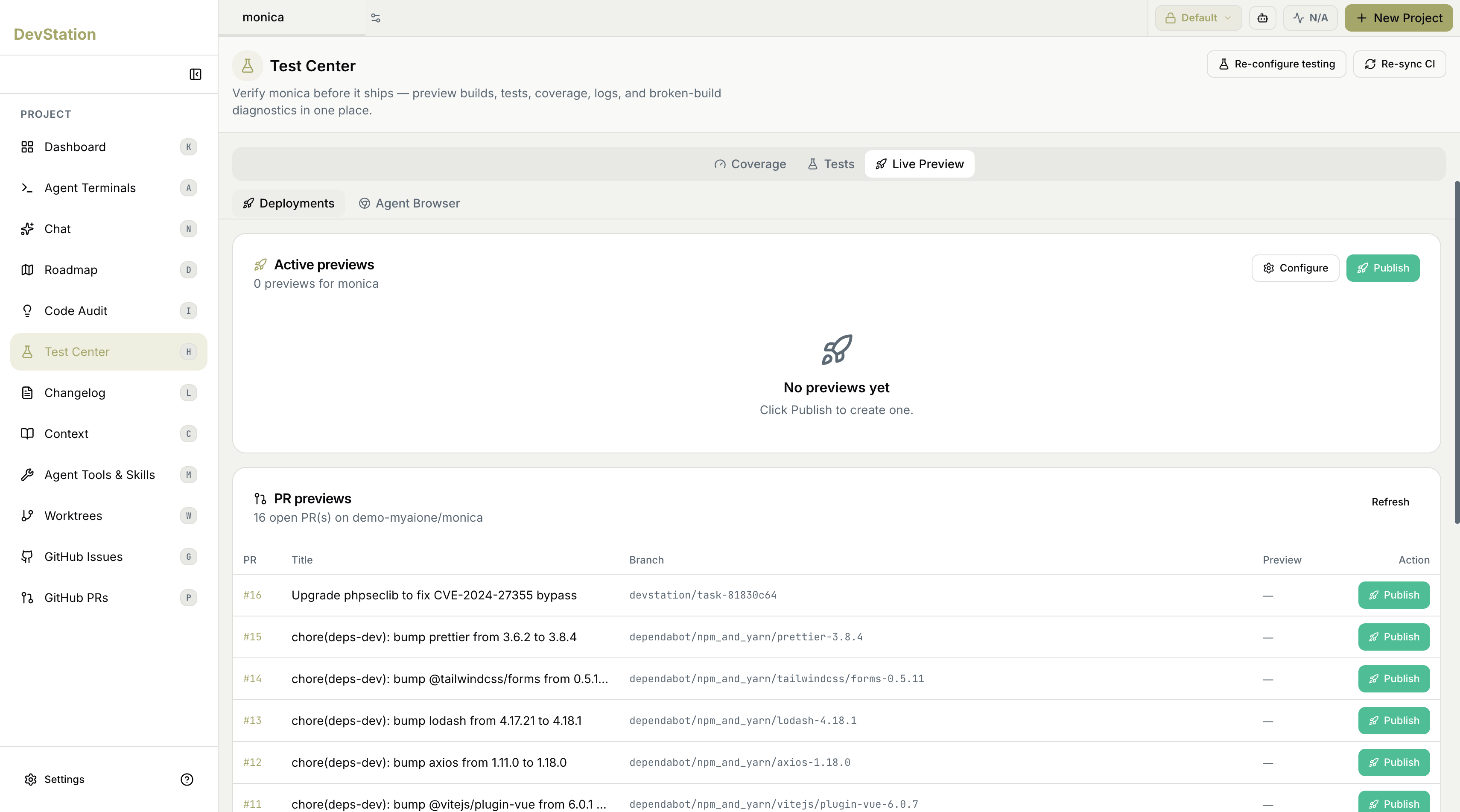
The **Deployments** view manages preview builds of your project:
* **Active previews** — the previews currently running for your project. When there are none, it shows a **No previews yet** state.
* **Publish** — create a new preview deployment.
* **Configure** — adjust how previews are built and published.
## PR previews
Below active previews, **PR previews** lists the open pull requests on your connected repository, with a count of how many are open. For each PR you see its title and branch, and a **Publish** action to spin up a preview build for that specific pull request — so you can review a proposed change as a running app, not just as a diff. Use **Refresh** to update the list.
Publishing a preview per pull request lets reviewers interact with the change in a real environment before it's merged — useful for catching issues that don't show up in the code itself.
## Agent Browser
The **Agent Browser** sub-view provides a browser experience tied to the workspace, so the running preview can be viewed and exercised directly within Test Center.
A detailed walkthrough of the Agent Browser will be added once that view is captured in use.
## Deployments
The **Deployments** view manages preview builds of your project:
* **Active previews** — the previews currently running for your project. When there are none, it shows a **No previews yet** state.
* **Publish** — create a new preview deployment.
* **Configure** — adjust how previews are built and published.
## PR previews
Below active previews, **PR previews** lists the open pull requests on your connected repository, with a count of how many are open. For each PR you see its title and branch, and a **Publish** action to spin up a preview build for that specific pull request — so you can review a proposed change as a running app, not just as a diff. Use **Refresh** to update the list.
Publishing a preview per pull request lets reviewers interact with the change in a real environment before it's merged — useful for catching issues that don't show up in the code itself.
## Agent Browser
The **Agent Browser** sub-view provides a browser experience tied to the workspace, so the running preview can be viewed and exercised directly within Test Center.
A detailed walkthrough of the Agent Browser will be added once that view is captured in use.