> ## Documentation Index
> Fetch the complete documentation index at: https://docs.myaione.com/llms.txt
> Use this file to discover all available pages before exploring further.
# GitHub Integration
> Connect this project to GitHub for issue tracking in MyaiOne for Development — authenticate, choose a repository, set the default branch, and enable the autonomous pipeline that turns issues into pull requests.
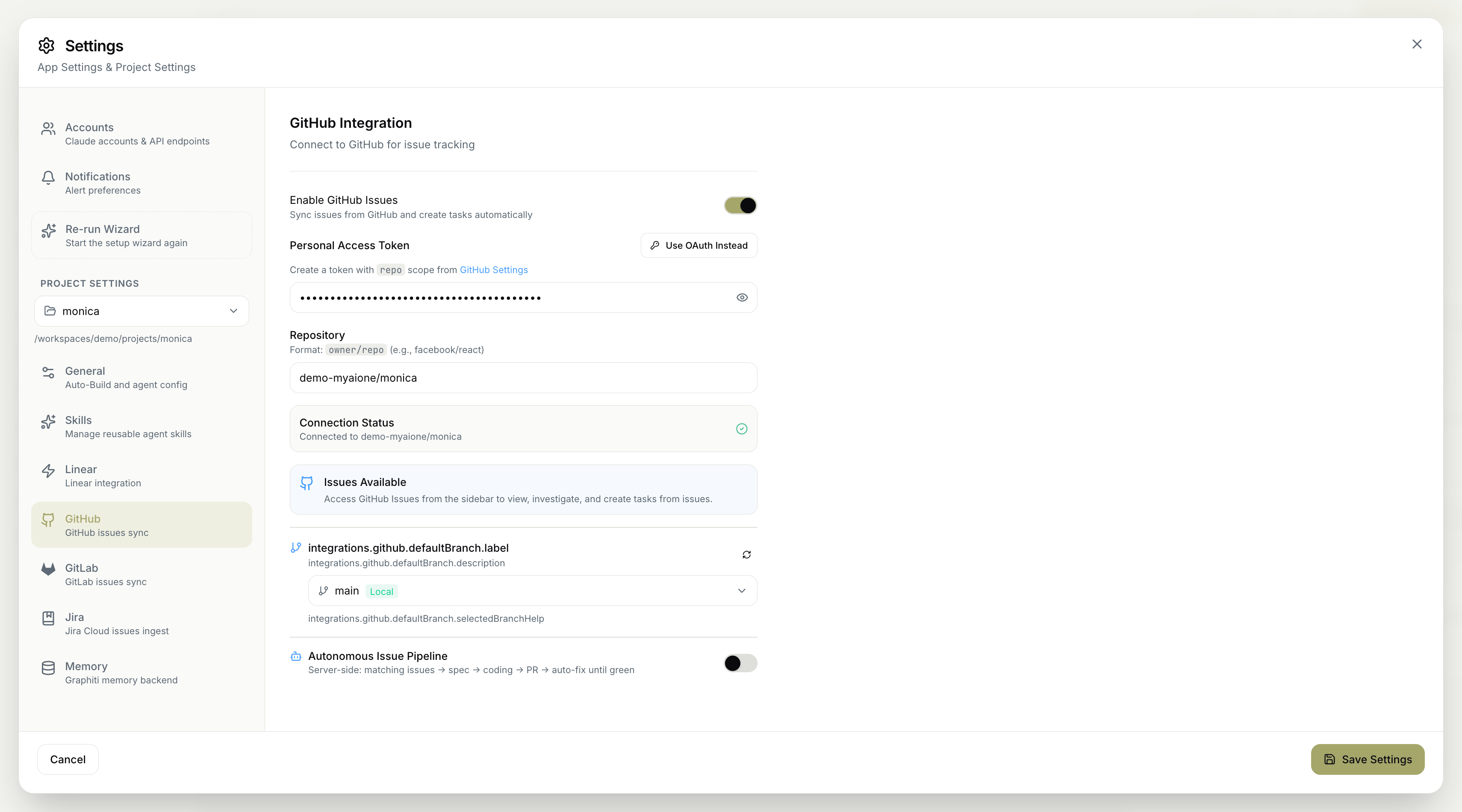
The **GitHub Integration** settings connect this project to **GitHub** for issue tracking. Once connected, MyaiOne for Development can sync issues from your repository, create tasks from them, and — if you enable it — run an autonomous pipeline that takes issues all the way to pull requests.
 ## Enabling GitHub Issues
* **Enable GitHub Issues** — sync issues from GitHub and create tasks automatically.
## Authentication
Connect your GitHub account one of two ways:
* **Personal Access Token** — provide a token created with `repo` scope from your GitHub settings.
* **Use OAuth Instead** — authenticate via OAuth rather than a token.
If you use a Personal Access Token, create it with the **`repo`** scope so MyaiOne for Development can read issues and open pull requests on your repository.
## Repository
Set the repository to connect, in **`owner/repo`** format (for example, `facebook/react`).
## Default branch
Choose the project's **default branch** — the branch MyaiOne for Development targets for this repository.
## Connection status
A **Connection Status** indicator confirms the integration is working, showing **Connected** along with the repository it's linked to. Once connected, **Issues Available** indicates you can access **GitHub Issues** from the sidebar to view, investigate, and create tasks from issues.
## Autonomous Issue Pipeline
The **Autonomous Issue Pipeline** runs issue processing hands-off and entirely server-side, taking each issue through a complete path:
**matching issues → spec → coding → PR → auto-fix until green**
It finds the issues to work on, writes a spec, implements the change, opens a pull request, and keeps fixing until checks pass — leaving you to review and merge.
This is the same pipeline surfaced on the **GitHub Issues** page. Connect the repository here, then drive day-to-day triage from [GitHub Issues](/github-issues) and review results in [GitHub PRs](/github-prs). The full walkthrough is in [Triage your issue tracker autonomously](/triage-your-issue-tracker-autonomously).
Remember to save your changes for them to take effect.
## Enabling GitHub Issues
* **Enable GitHub Issues** — sync issues from GitHub and create tasks automatically.
## Authentication
Connect your GitHub account one of two ways:
* **Personal Access Token** — provide a token created with `repo` scope from your GitHub settings.
* **Use OAuth Instead** — authenticate via OAuth rather than a token.
If you use a Personal Access Token, create it with the **`repo`** scope so MyaiOne for Development can read issues and open pull requests on your repository.
## Repository
Set the repository to connect, in **`owner/repo`** format (for example, `facebook/react`).
## Default branch
Choose the project's **default branch** — the branch MyaiOne for Development targets for this repository.
## Connection status
A **Connection Status** indicator confirms the integration is working, showing **Connected** along with the repository it's linked to. Once connected, **Issues Available** indicates you can access **GitHub Issues** from the sidebar to view, investigate, and create tasks from issues.
## Autonomous Issue Pipeline
The **Autonomous Issue Pipeline** runs issue processing hands-off and entirely server-side, taking each issue through a complete path:
**matching issues → spec → coding → PR → auto-fix until green**
It finds the issues to work on, writes a spec, implements the change, opens a pull request, and keeps fixing until checks pass — leaving you to review and merge.
This is the same pipeline surfaced on the **GitHub Issues** page. Connect the repository here, then drive day-to-day triage from [GitHub Issues](/github-issues) and review results in [GitHub PRs](/github-prs). The full walkthrough is in [Triage your issue tracker autonomously](/triage-your-issue-tracker-autonomously).
Remember to save your changes for them to take effect.