> ## Documentation Index
> Fetch the complete documentation index at: https://docs.myaione.com/llms.txt
> Use this file to discover all available pages before exploring further.
# Appearance
> Customize how MyaiOne for Development looks — choose a light, dark, or system appearance mode, and pick a color theme for the interface.
The **Appearance** settings control how MyaiOne for Development looks. You can set whether the interface follows light or dark mode, and choose from a set of color themes. Changes apply once you save.
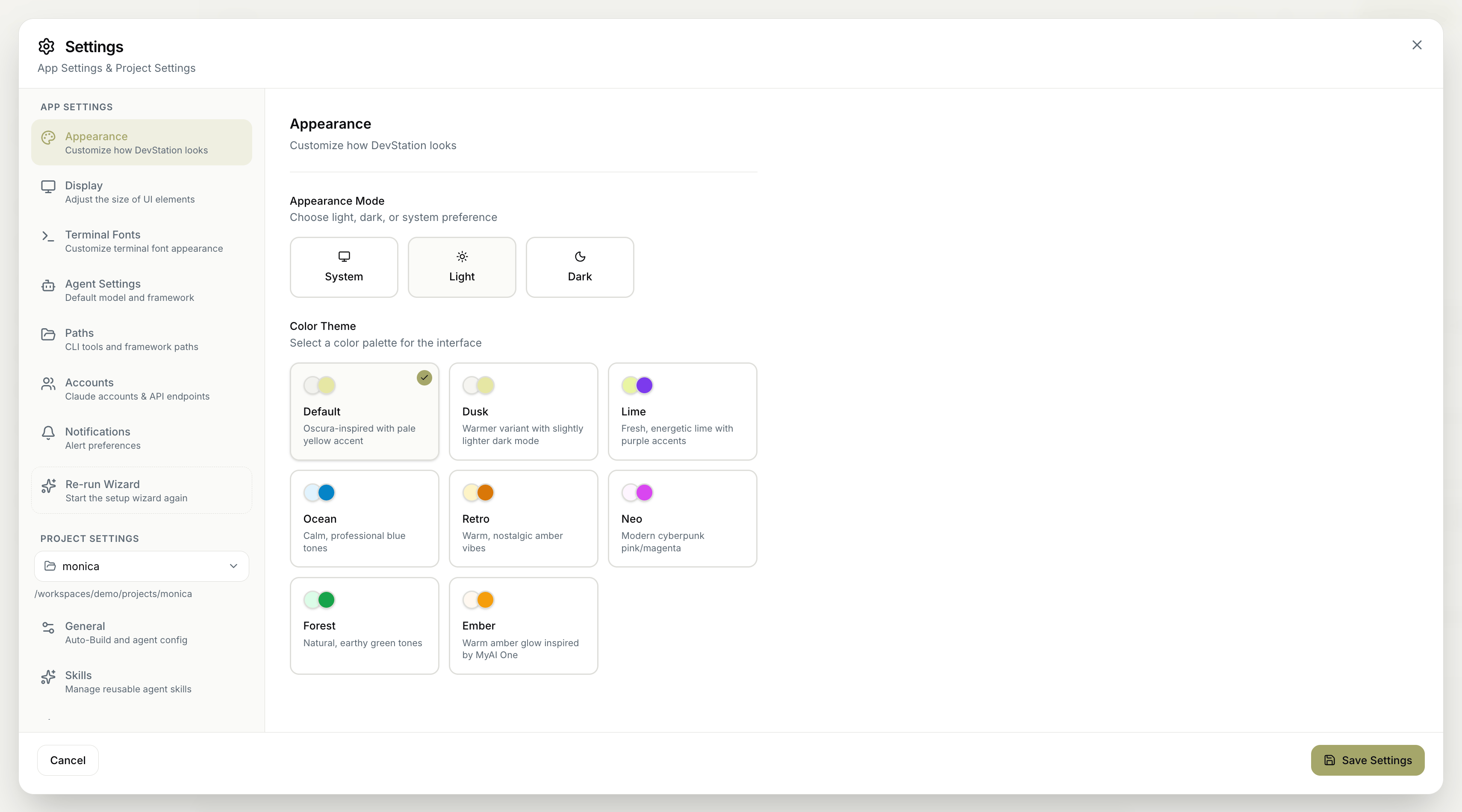 ## Appearance mode
Choose how light and dark mode are decided:
* **System** — follow your operating system's preference automatically.
* **Light** — always use the light interface.
* **Dark** — always use the dark interface.
## Color theme
Select a color palette for the interface. Each theme sets the interface's accent colors:
| Theme | Feel |
| ----------- | --------------------------------------------------- |
| **Default** | Oscura-inspired with a pale yellow accent. |
| **Dusk** | A warmer variant with a slightly lighter dark mode. |
| **Lime** | Fresh, energetic lime with purple accents. |
| **Ocean** | Calm, professional blue tones. |
| **Retro** | Warm, nostalgic amber vibes. |
| **Neo** | Modern cyberpunk pink/magenta. |
| **Forest** | Natural, earthy green tones. |
| **Ember** | Warm amber glow inspired by MyaiOne. |
The **Appearance mode** and **Color theme** work together — pick a mode for light/dark behavior, then a theme for the accent colors layered on top.
Remember to click **Save Settings** to apply your changes. **Cancel** discards them.
## Appearance mode
Choose how light and dark mode are decided:
* **System** — follow your operating system's preference automatically.
* **Light** — always use the light interface.
* **Dark** — always use the dark interface.
## Color theme
Select a color palette for the interface. Each theme sets the interface's accent colors:
| Theme | Feel |
| ----------- | --------------------------------------------------- |
| **Default** | Oscura-inspired with a pale yellow accent. |
| **Dusk** | A warmer variant with a slightly lighter dark mode. |
| **Lime** | Fresh, energetic lime with purple accents. |
| **Ocean** | Calm, professional blue tones. |
| **Retro** | Warm, nostalgic amber vibes. |
| **Neo** | Modern cyberpunk pink/magenta. |
| **Forest** | Natural, earthy green tones. |
| **Ember** | Warm amber glow inspired by MyaiOne. |
The **Appearance mode** and **Color theme** work together — pick a mode for light/dark behavior, then a theme for the accent colors layered on top.
Remember to click **Save Settings** to apply your changes. **Cancel** discards them.